Approve people who ask to join
Requests wait on the Members page, and at a meeting on the live panel, where approving also marks the person present.
Before you start
- Admins. Facilitators see requests at a meeting but can’t decide them.
- On a phone, tablet or computer
Know when someone asks
People ask from your organization’s page (Request to join) or on a meeting page (Request membership). Admins get an in-app notification, New Membership Request, and an email if they turned that on.
Open the Pending tab
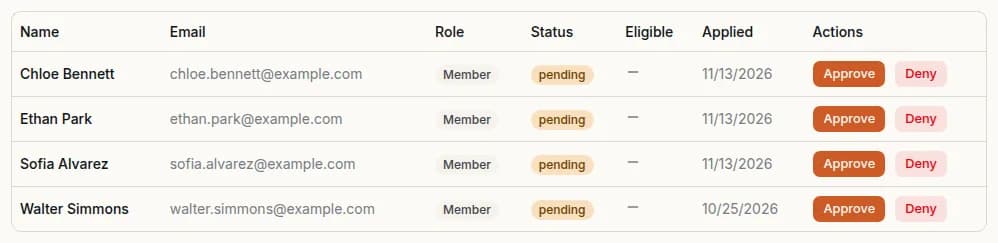
On the Members page, open Pending. Each row has Approve and Deny (also inside Member Details). You see Member approved or Member denied.
At a meeting, approve from the live panel
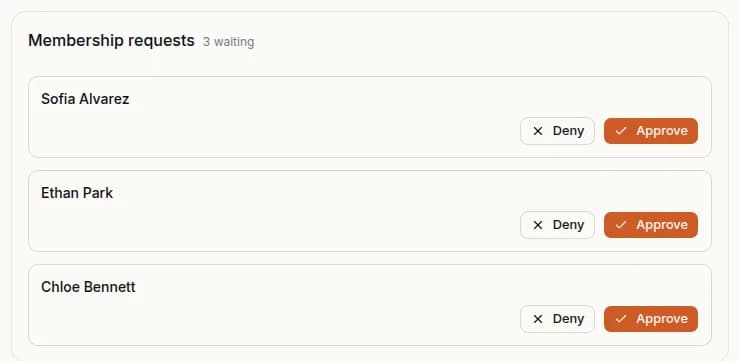
The Membership requests card lists who is waiting at this meeting; the waiting to join button at the top scrolls to it. Approve makes the person a member and marks them present in one step, and their ballot appears on their phone within seconds. This works only while the meeting is running; after that, use the Members page.
Deny when you must
Deny asks Deny this request? The person can still take part as a guest, and they can ask again in a week. An invite link lets them in sooner.
Facilitators: ask an admin
Facilitators see the same card with An admin can approve this. Approving and denying are admin actions, and every approval counts toward the plan’s member limit.
If something isn't working
- An older request isn’t on the live panel
- The live panel lists only people at this meeting: requests sent from this meeting’s page, and people checked in here as guests while signed in. Ask the person to tap Send my request on the meeting page, or approve them from the Members page.
- Approve says the member limit is reached
- Your plan’s member limit counts active members. Deactivate members who have left, or ask the owner to change the plan on the Billing page.
- I denied someone by mistake
- They are under Denied. They can ask again after 7 days, or you can send them the invite link, which lets them in at once.
- I approved them at the meeting, but they still can’t vote
- They need the meeting page open, signed in; the ballot appears within a few seconds. If your organization has an attendance rule, a new member may still need the grace period or an override.
Related
Still stuck?
Reach the team directly. We usually reply within a day.